
tio (install) via homebrew
posted: Mon, Jul 3, 2023 | tagged: references tech
Validated in Ubuntu 22.04 LTS with CircuitPython
why install Tio?
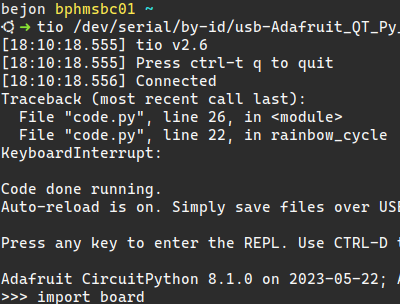
As you'll find, using the Serial console in Mu can be a little finicky, or downright flaky at times. Even if you've added your user account to the dialout group (sudo usermod -aG dialout <myusername>), the results can be mixed at best. I've found Tio to be a nice mechanism for this, and I tend to have this open in the terminal while writing code in VS Code alongside. It is a comfortable workflow, at least for me.
Also one of the very nice features, if your device disconnects from your machine, Tio will re-establish the connection once the board is detected.
So let's get this started!
install homebrew
Homebrew is a package manager intended for macOS but also works on Linux. Homebrew brings a lot of Linux functionality to macOS, but some developers build specifically for Homebrew. There is an impressive list of packages available for Homebrew.
I have a quick write-up on installing Homebrew in my references repository. Once installed, you can install Tio
brew install tio- If you are running TLDR, you may want to update it's definitions with
tldr -u - Connect your microcontroller to your machine via USB
- Find your device with Tio
tio -L- Note the output, if your device is discovered it will be listed
- To connect to the device execute (don't forget autocomplete with Tab)
tio /path/to/device- To exit out of a Tio connection, press
CTRL + tfollowed byq
